> For the complete documentation index, see [llms.txt](https://docs.cubilock.com/llms.txt). Markdown versions of documentation pages are available by appending `.md` to page URLs; this page is available as [Markdown](https://docs.cubilock.com/data-usage.md).
# Data Usage
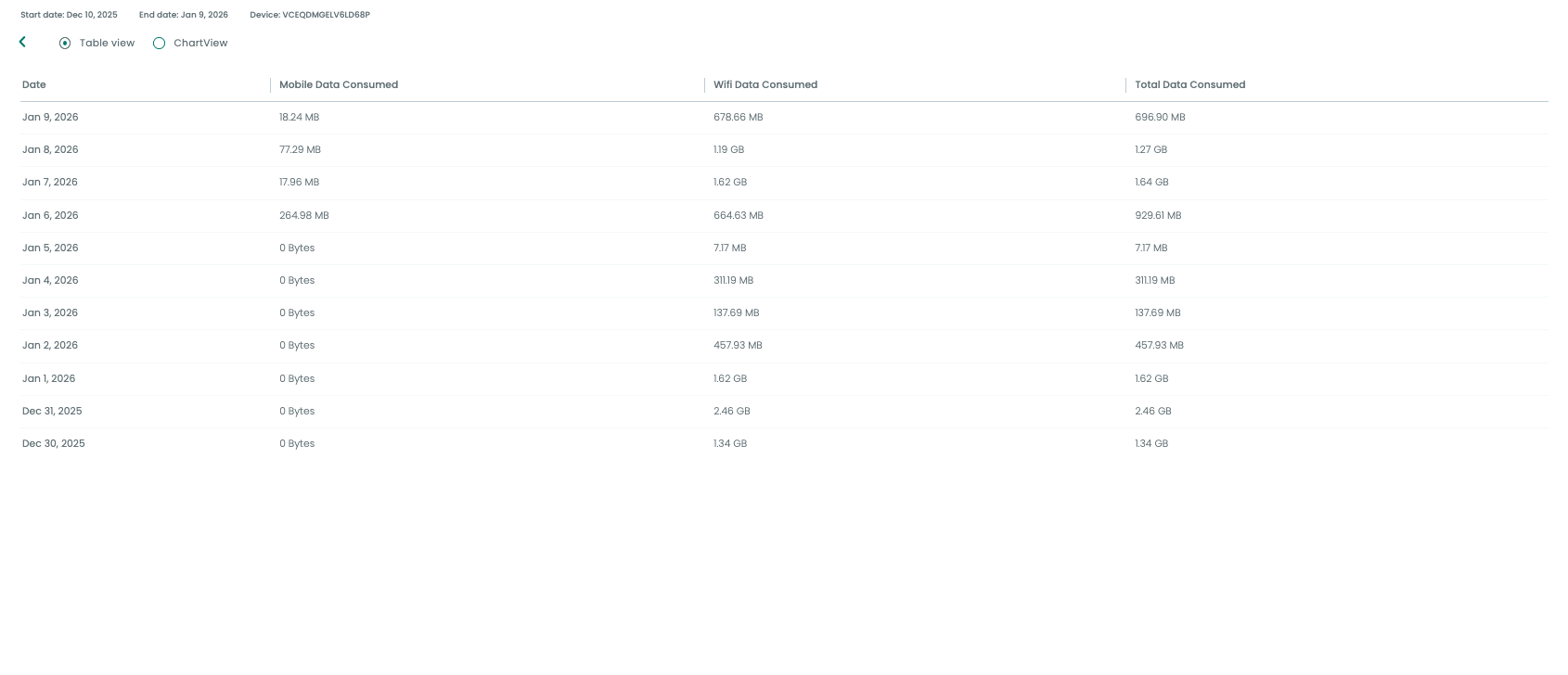
The **Data Usage Report** collects data from the **Companion App** on devices by querying the Android OS. This OS provides a list of data used by apps over **Mobile Networks** and **Wi-Fi**, showing both app-wise usage and overall totals.
This report allows you to view aggregated data consumption across **mobile data** and **Wi-Fi** networks over different time periods, including **daily, weekly**, and **monthly** views.
#### **How to View the Data Usage Report**
To view the data usage report, follow these steps:
1. **Device Data Collection**:
* companion app version above 1.5.3 is required to fetch data usage report
* The Companion App automatically collects data usage stats from the device. No configuration is required to start data collection.
2. **Filters**:
* Use the **filters** to narrow down the data:
* **Device**: Select the specific device.
* **Profile**: Filter by user profile.
* **Group**: Filter by user group.
* **Application**: Choose a specific app to view its data consumption.
3. **Date Range Selection**:
* Select a **Date Range** to view the data usage for the desired period:
* **Last 7 Days**
* **Last 30 Days**
* **Last 15 Days**
* **Custom Range**: Set a custom start and end date.
#### **Types of Reports**
1. **Mobile Data Usage**: Shows data consumed over mobile networks by the selected device(s).
2. **Wi-Fi Data Usage**: Displays data consumed over Wi-Fi networks.
3. **Total Data Usage**: Aggregates both **Mobile Data** and **Wi-Fi Data** for the selected device(s).
**Viewing Data Usage for Specific Apps**
For each device, the report shows the data usage per app, including both **Mobile** and **Wi-Fi** data consumption. This allows for granular tracking of which apps are consuming the most data over time.
**Scheduled Reports**
You can **download** or **email** the data usage reports periodically. The report includes all the details about data consumption, sorted by device, application, and network type.